The features of Begehung.pro
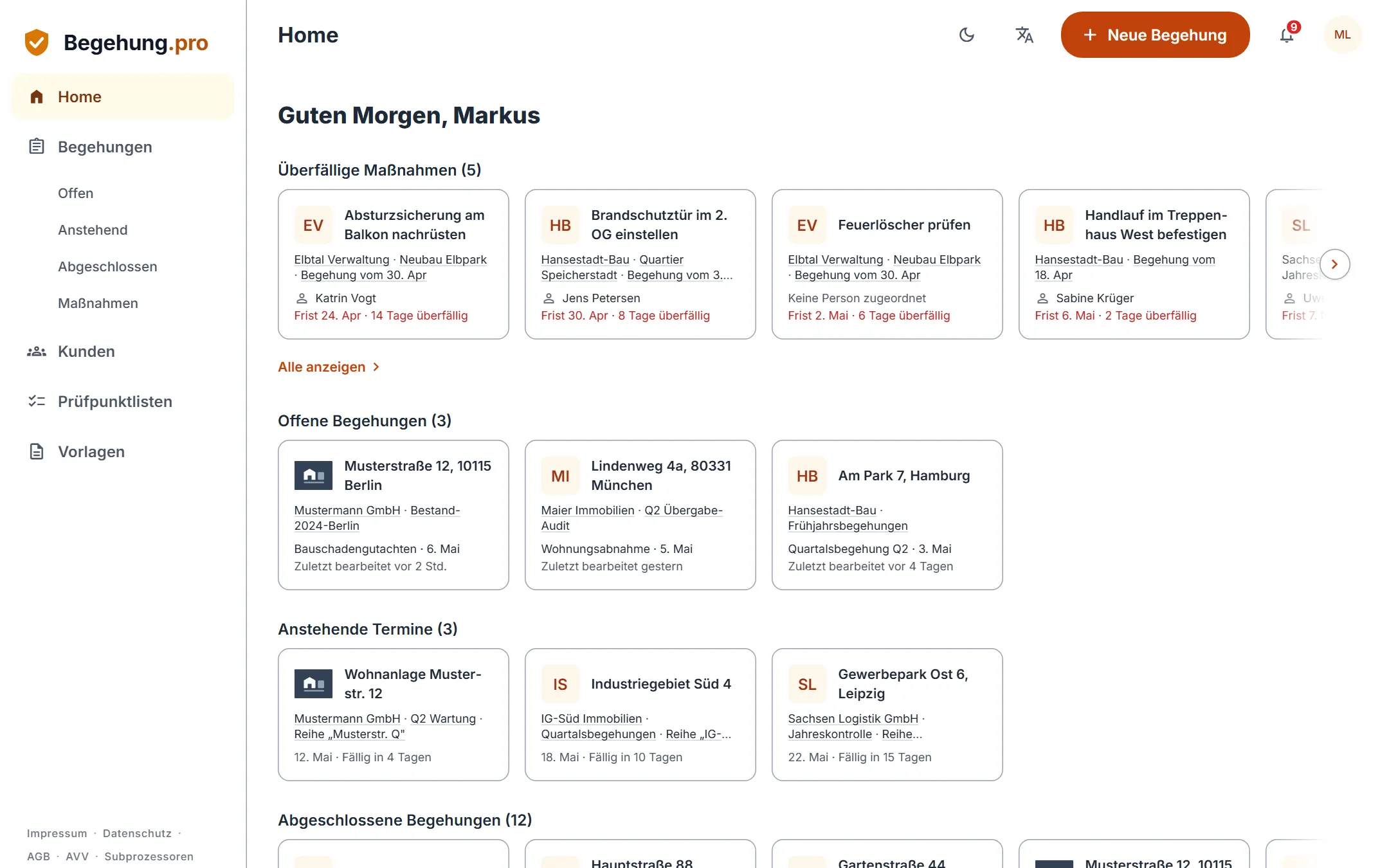
Here you find the features of Begehung.pro, ordered by the steps of an inspection: from planning to the follow-up inspection, in the web app and in the mobile app.
Last updated:
Plan
Create projects and inspection series and choose the checklists for your inspection. You import existing checklists and old reports instead of retyping them.
Due inspections
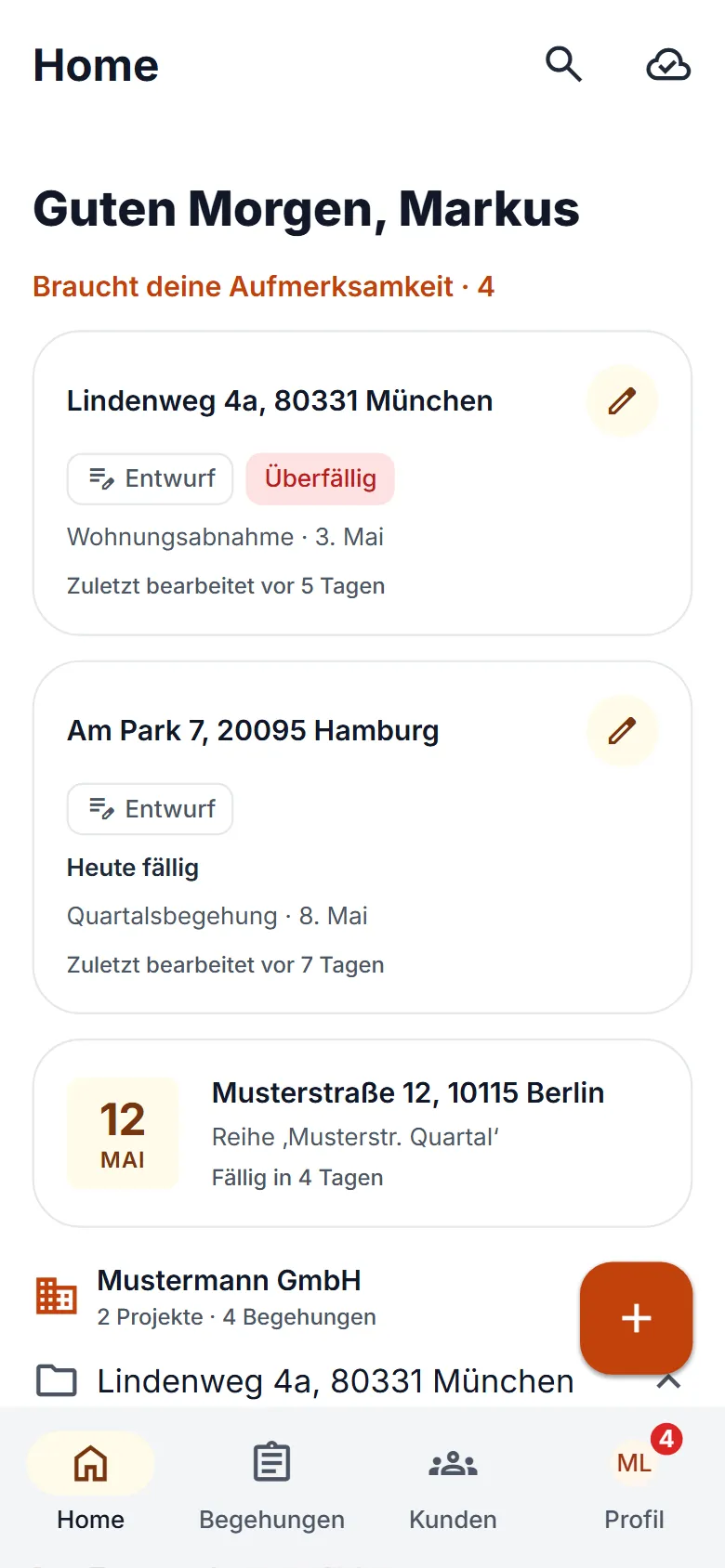
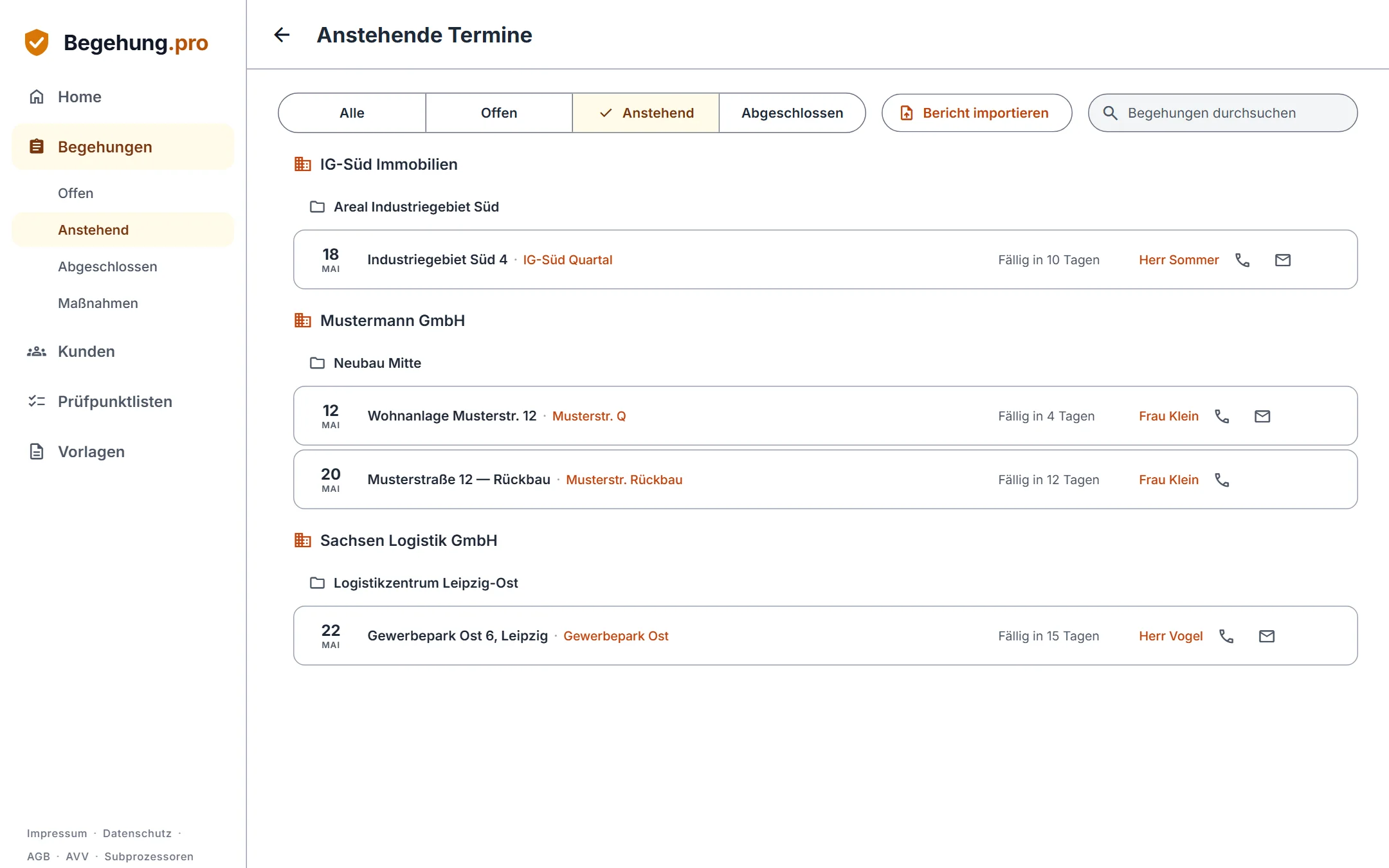
Under “Upcoming” you see which inspections are due next, each with date, due status and contact person. In the mobile app, the appointments of the next 7 days are right on the home screen.
Your own checklists
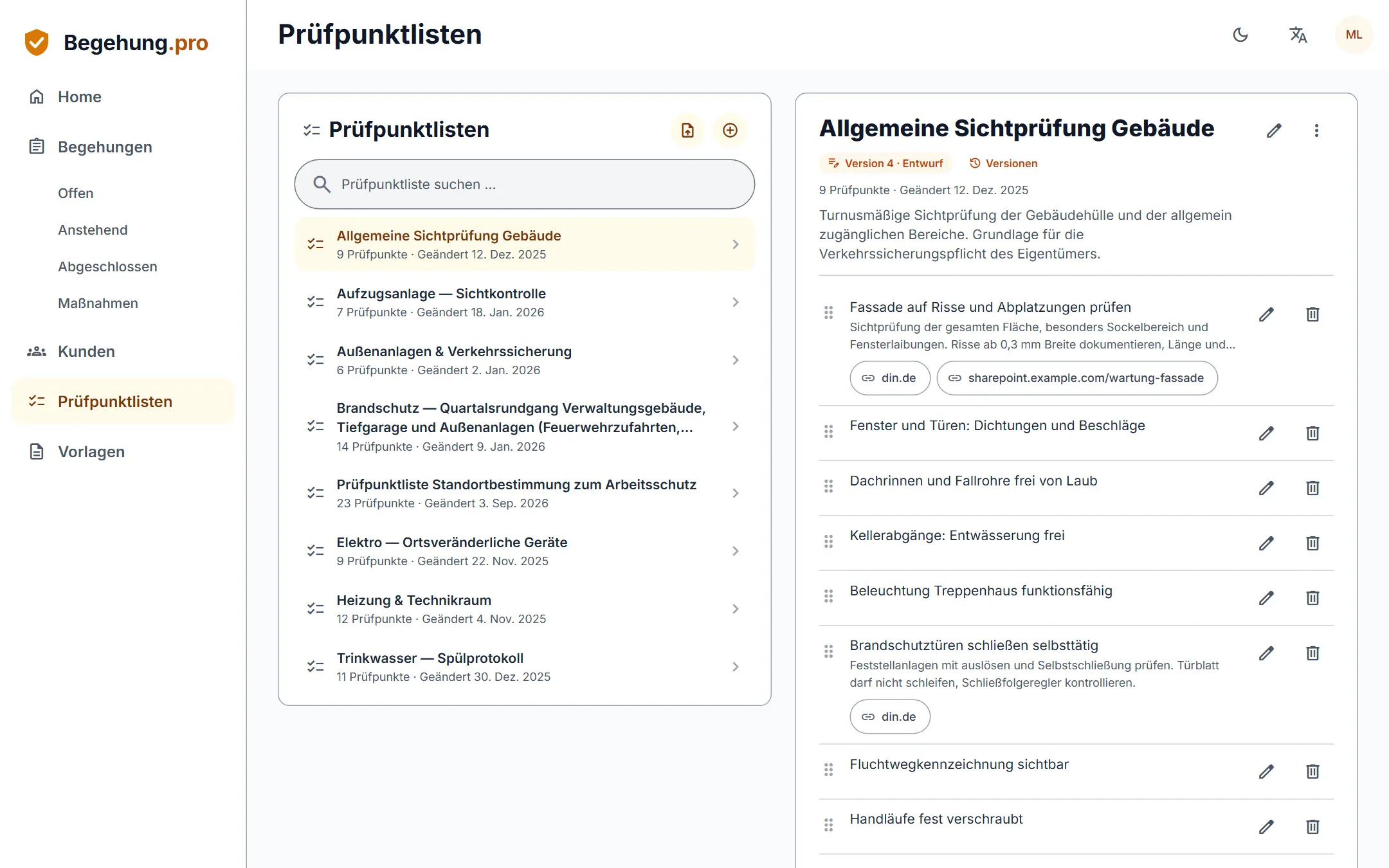
You maintain your checklists yourself, each with a running version number. For every inspection item you store a link to the source, for example the standard.
Import checklists
Upload existing checklists as PDF, Word or Excel files. The AI turns them into a suggestion that you review before adopting it.
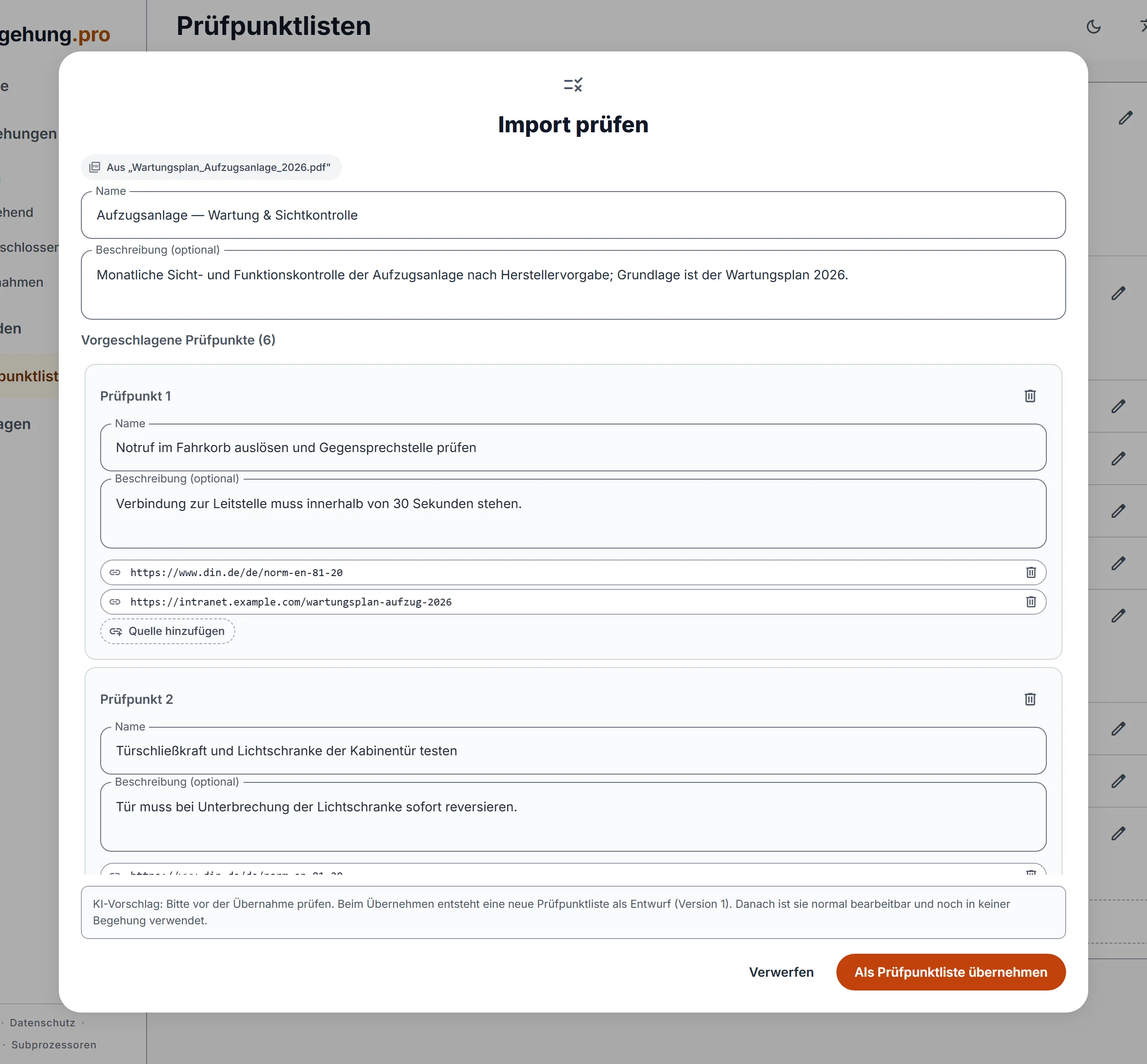
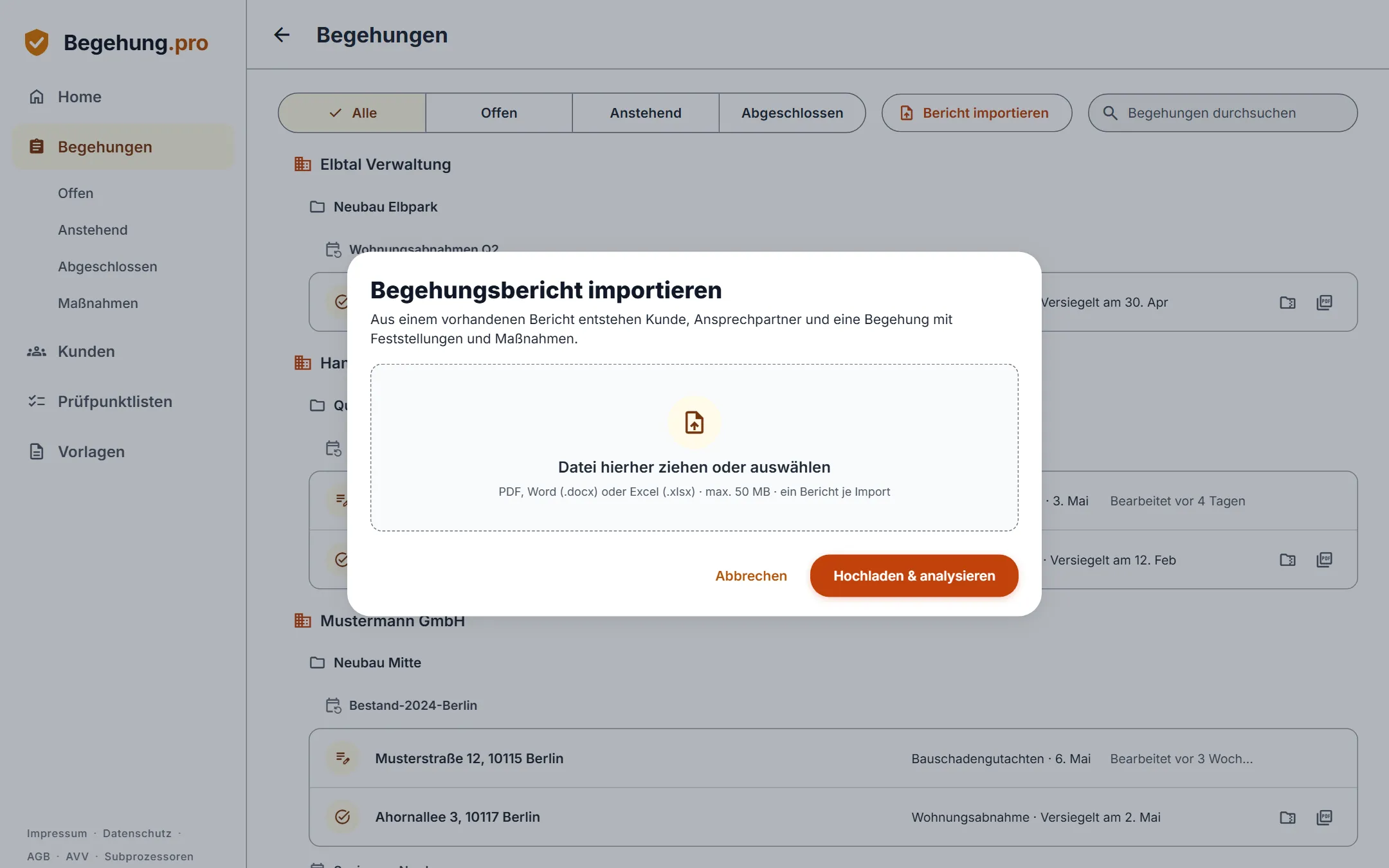
Import earlier reports
You don’t have to retype old reports. The AI extracts the customer, areas, findings and actions and creates a draft from them.
Create projects
Create projects with their contact persons. Within a project you plan its inspection series.
Inspection series with an interval
You plan recurring inspections as a series with a fixed interval. As soon as you seal an inspection, Begehung.pro sets the next appointment: inspection date plus interval.
Create an inspection
You create a new inspection in its inspection series and choose the checklists you inspect against on site.
Record attendees
Record who took part in the inspection. You and the project contacts are already on the list.
Capture
On site you record findings with photo, voice note and note. The mobile app also works without an internet connection.
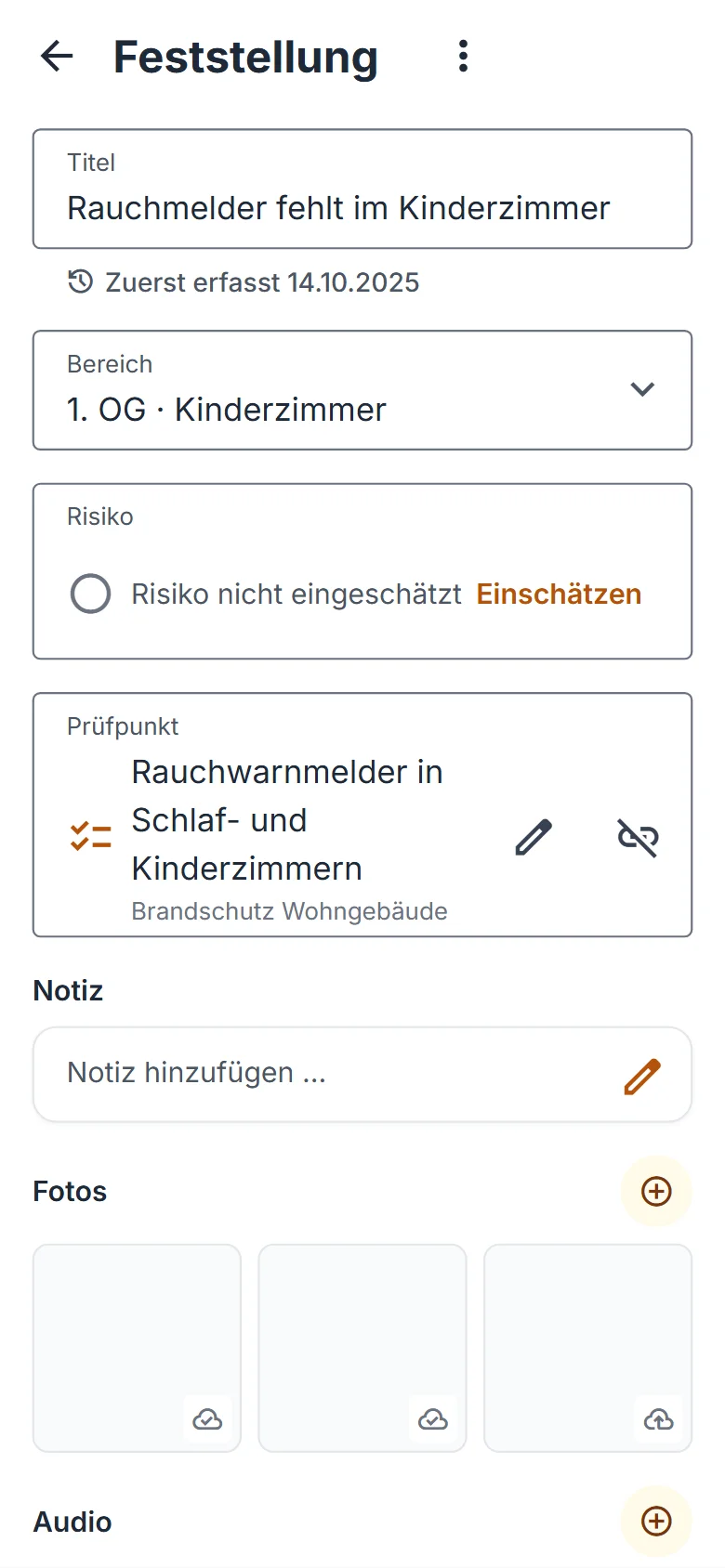
Areas and findings
Divide the inspection into areas and record your findings there with title, note and photo. You can assign each finding to an inspection item of your checklist.
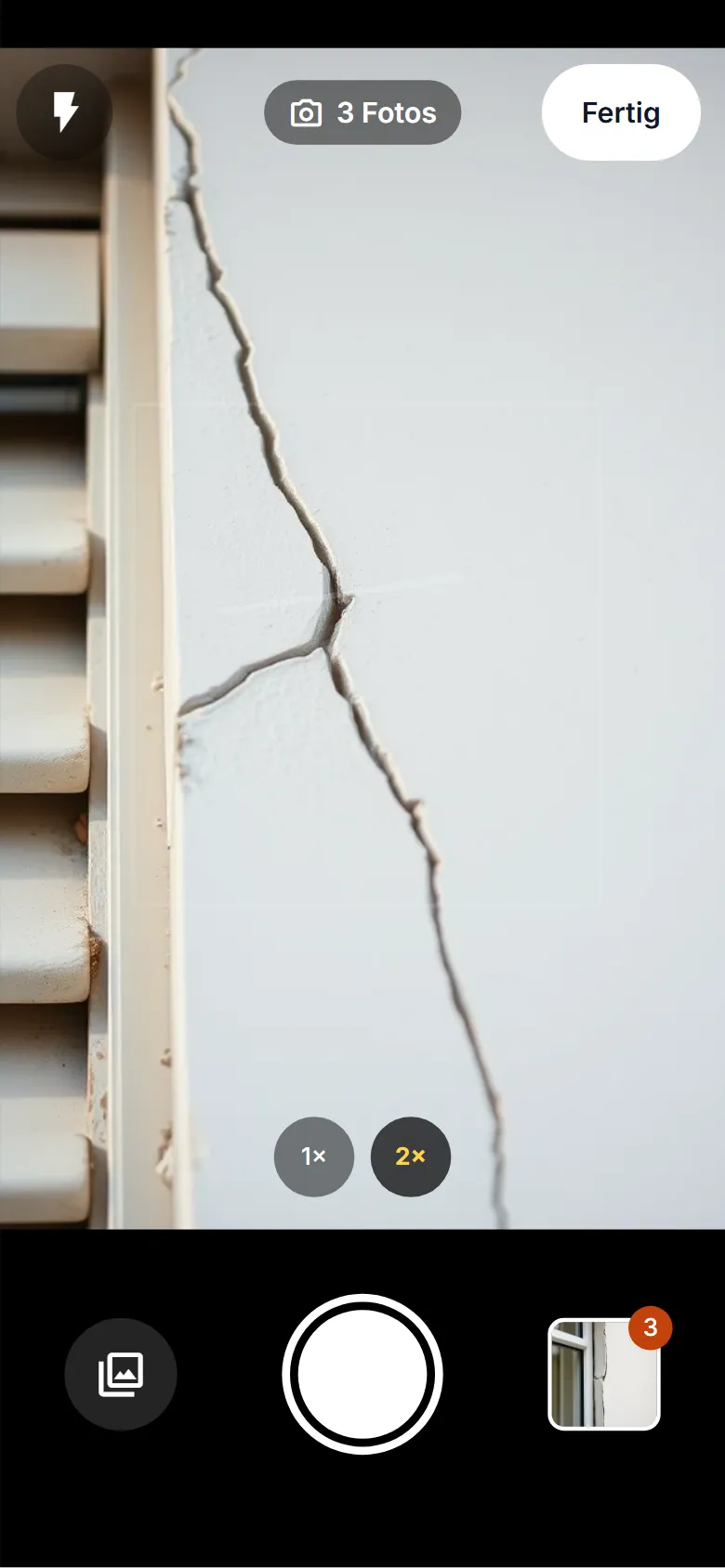
Photos and evidence on the finding
Photos, voice notes and notes belong directly to the finding. On site you take photos with the mobile app; in the web app you upload existing files.
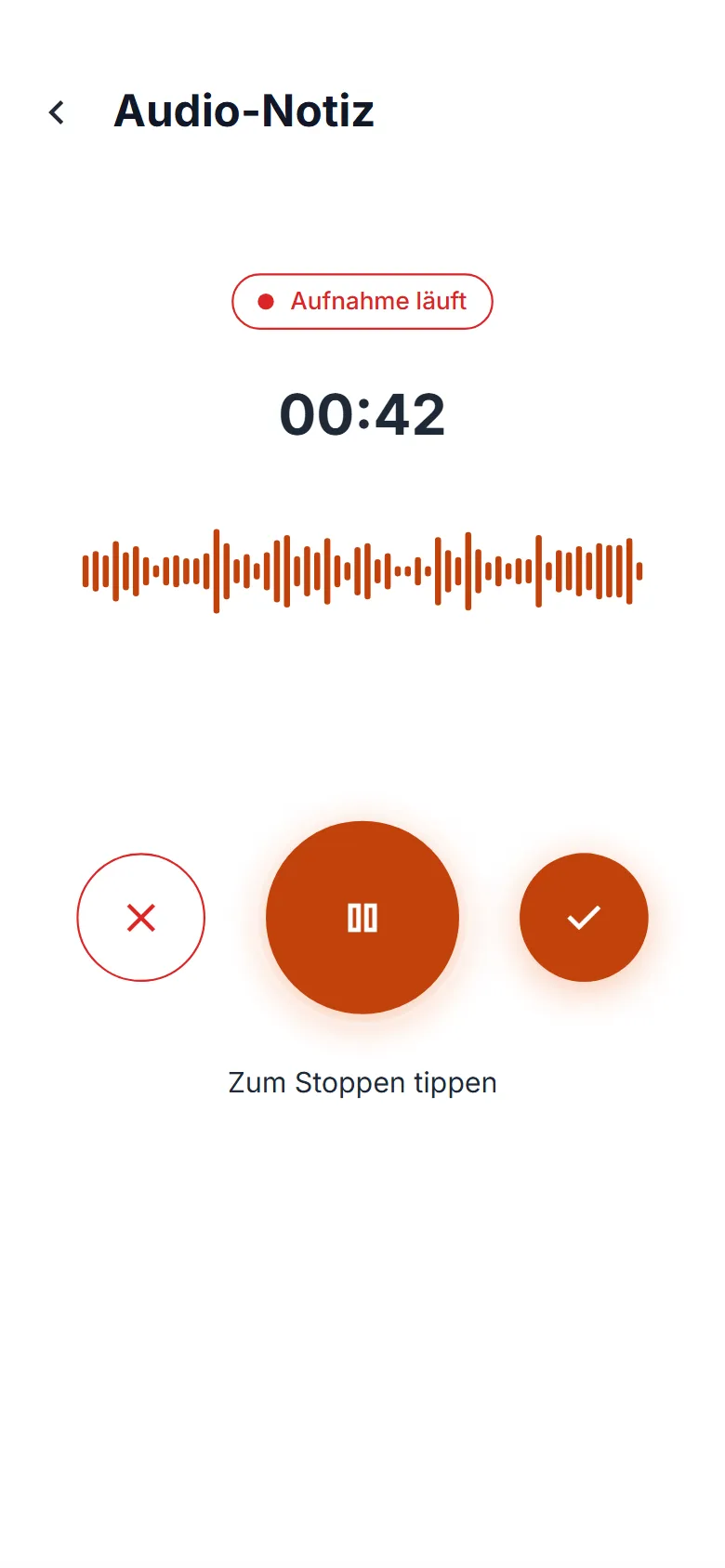
Voice notes
Dictate your notes instead of typing them. The app saves the recording directly with the finding.
Rate inspection items
You rate every inspection item as “passed” or “failed” and add a comment if needed. The rating is linked to the findings for that item.
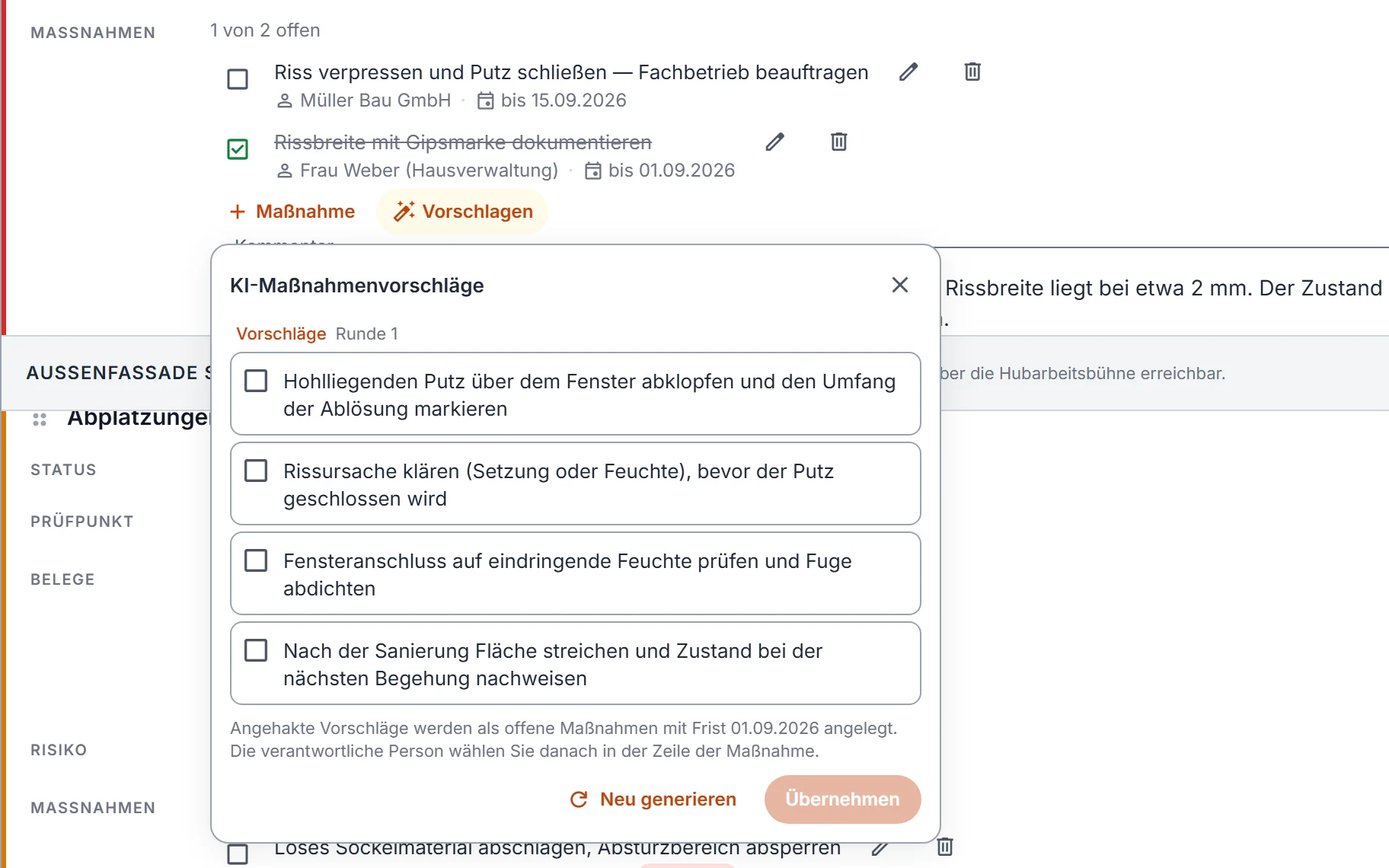
Define actions
For every finding you define what needs to be done, who takes care of it and by when. If you like, the AI makes suggestions and you adopt what fits.
Capture offline
The mobile app also works without an internet connection, including photos and voice notes. As soon as you have reception again, it transfers everything automatically.
Defect, note or recommendation
You mark each finding as a defect, a note or a recommendation.
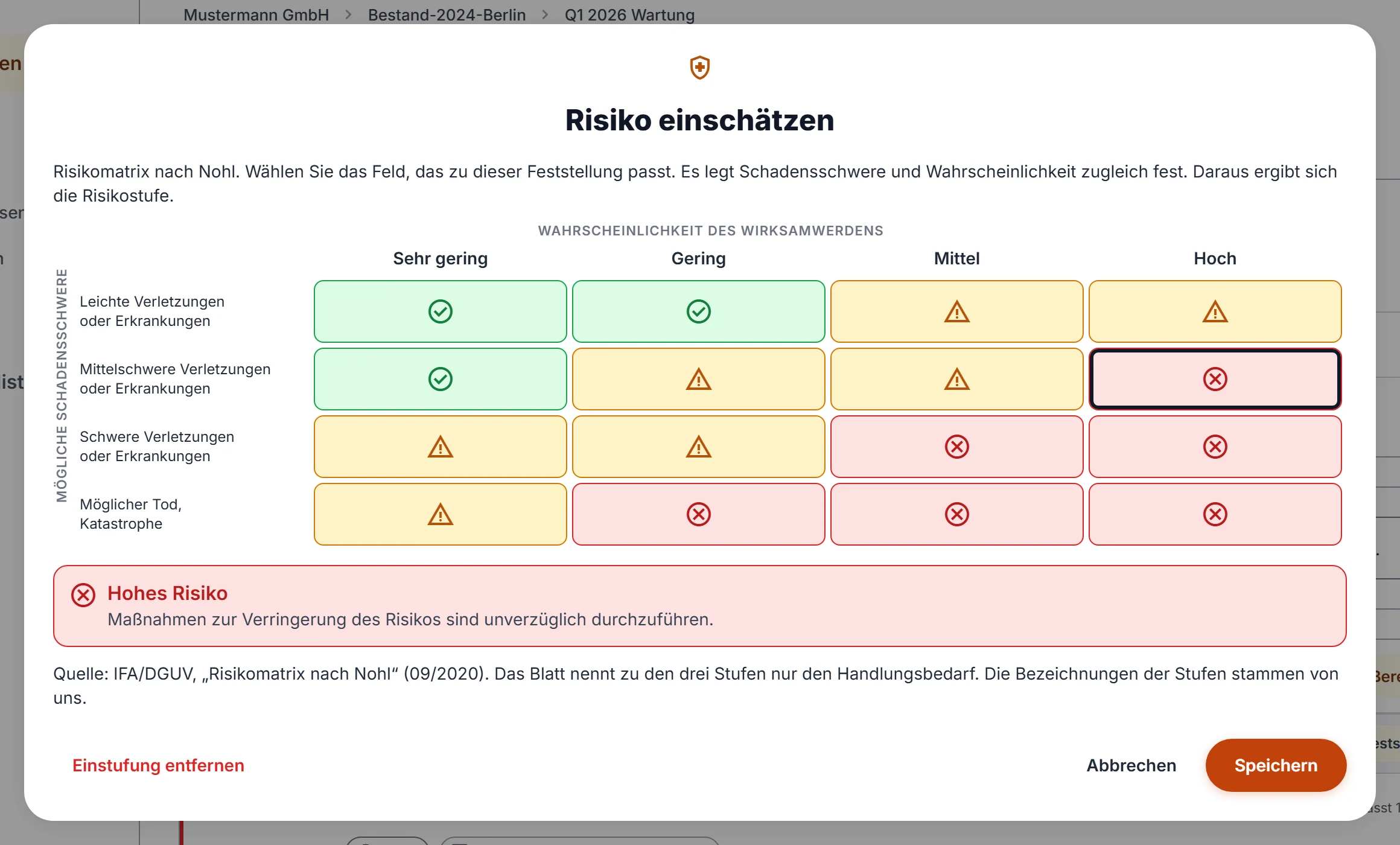
Risk rating
You rate the risk of each finding with the Nohl risk matrix or another method.
Signature
Attendees sign on site directly on a smartphone or tablet, even without an internet connection. Anyone who cannot sign on site signs later through the link to the draft.
Analyze
Begehung.pro creates the draft report automatically from your photos, notes and ratings. Voice notes become text, and the AI suggests wording. You decide what you adopt.
Automatic draft report
Begehung.pro assembles the draft report automatically from your photos, notes and ratings.
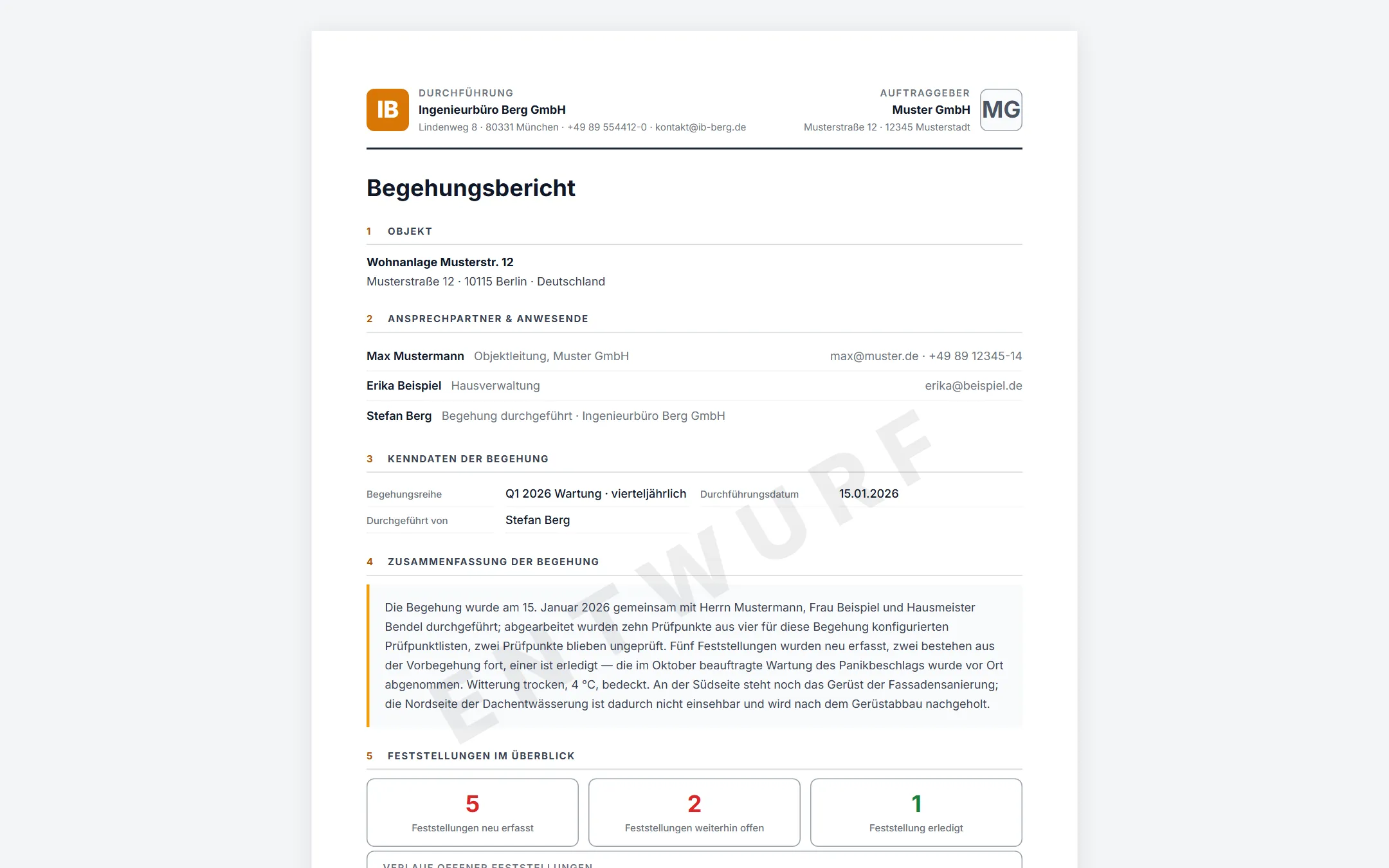
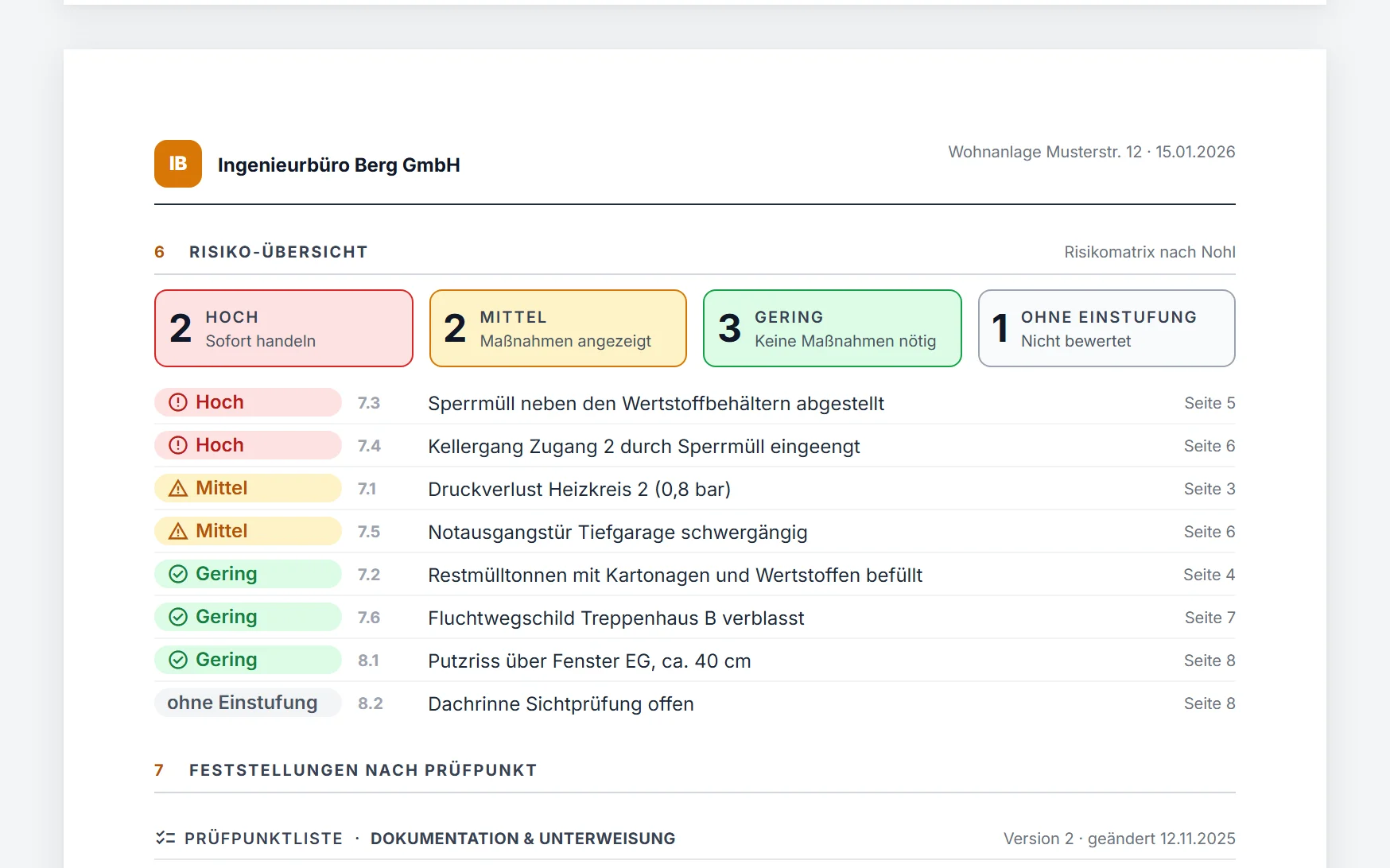
Risk overview in the report
The report shows at a glance how many findings carry a high, medium or low risk, and which ones they are.
Voice notes as text
Begehung.pro transcribes your voice notes automatically. You can correct the text afterwards.
AI writing assistance
The AI drafts wording for the inspection summary and for your comments on findings and inspection items, based on what you recorded on site. You pick a suggestion and edit it freely afterwards.
Finalize
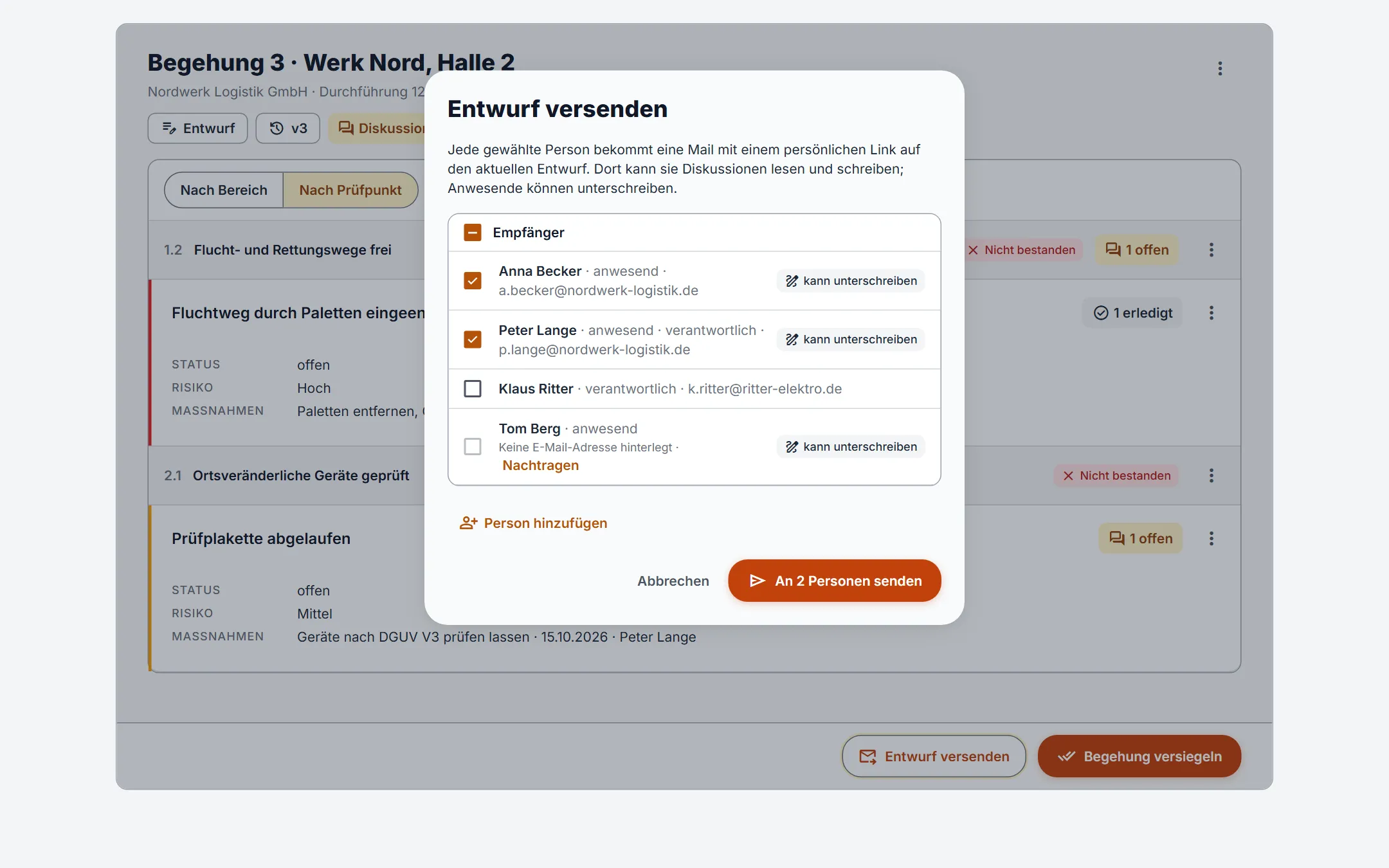
Coordinate the draft with your client, then seal the inspection. You send the report to the attendees by email.
Coordinate the draft with your client
Before sealing, you send your customer the draft as a link. Their contact persons read it without creating an account. Anyone who attended the inspection can also sign the draft there.
Discussions on the draft
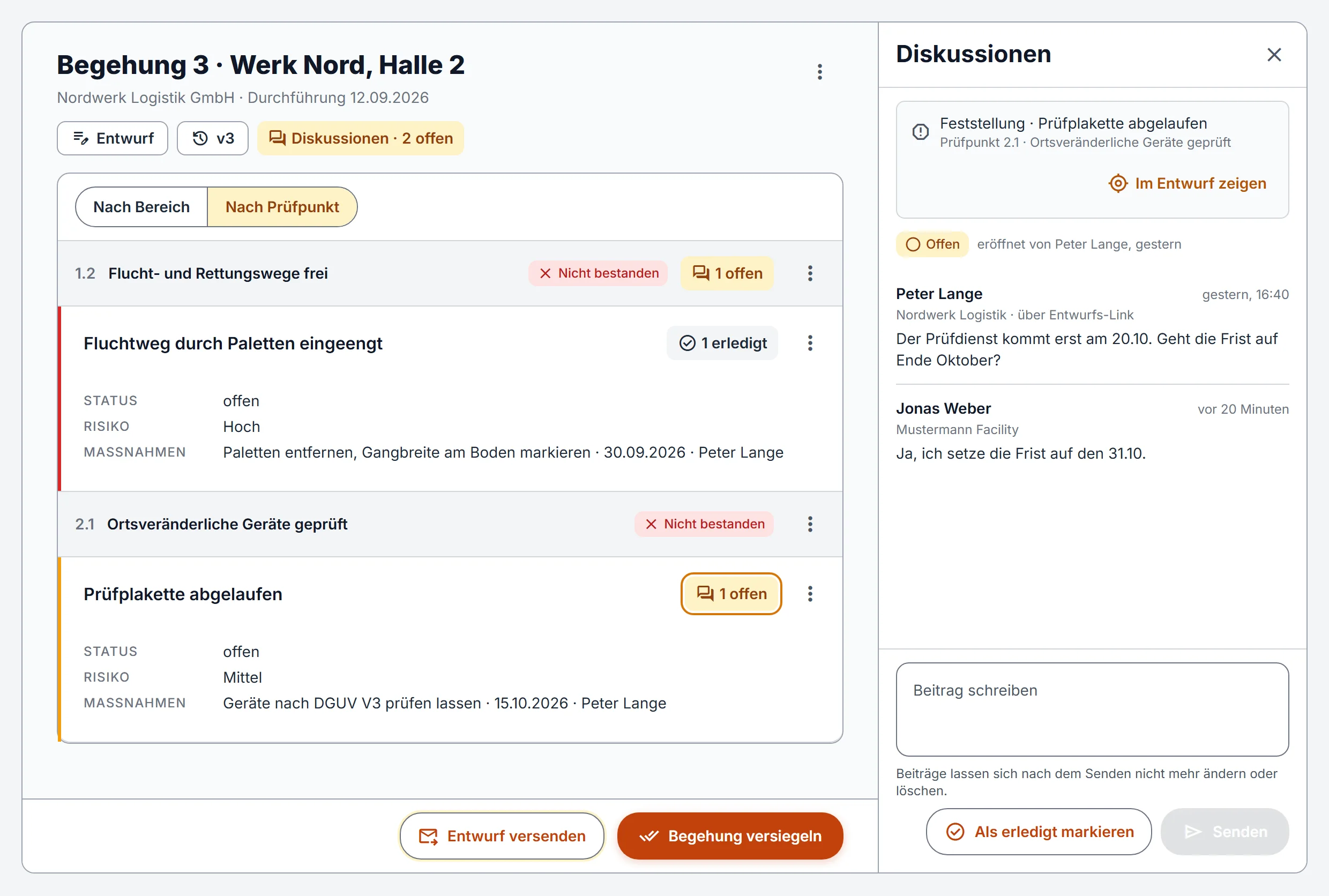
Draft recipients and your team comment on it: as a whole, on an inspection item or on a finding. The discussions are only for coordination and do not appear in the report.
Version chain
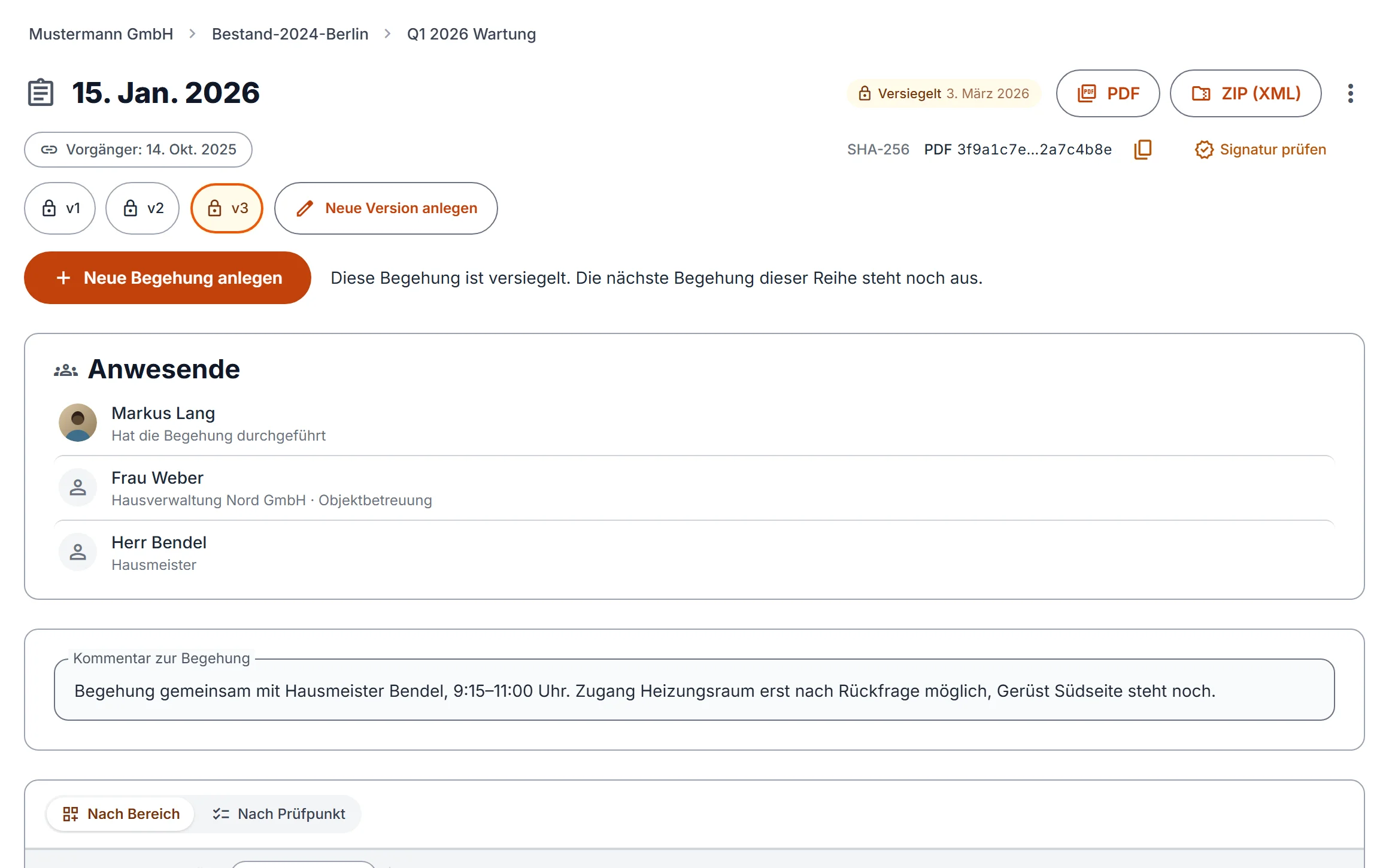
If you need to correct something after sealing, a new numbered version is created. The previous one stays readable and unchanged.
Report by email
After sealing, you send the report by email to the attendees and, if you like, to everyone responsible for open actions.
Sealing
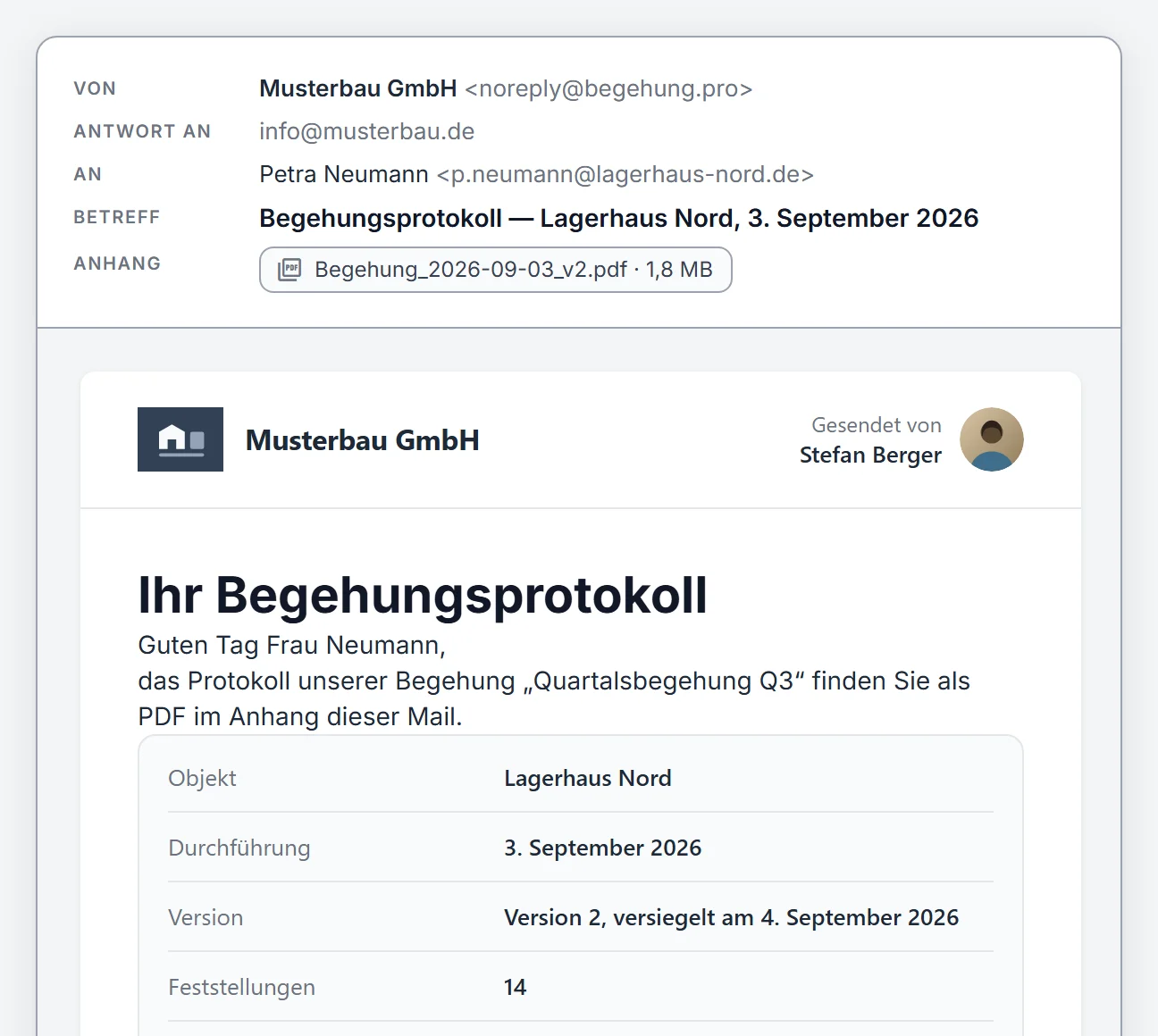
Once sealed, the inspection can no longer be changed. Begehung.pro records when it was sealed and who conducted it.
Report as Word and PDF
You get the draft as a Word file for further editing and the sealed report as a signed PDF/A. Both files carry your logo.
Findings and follow-up
After sealing, you keep track of the actions. The people responsible report completed actions through a personal link, and the next inspection of the series takes over the open findings.
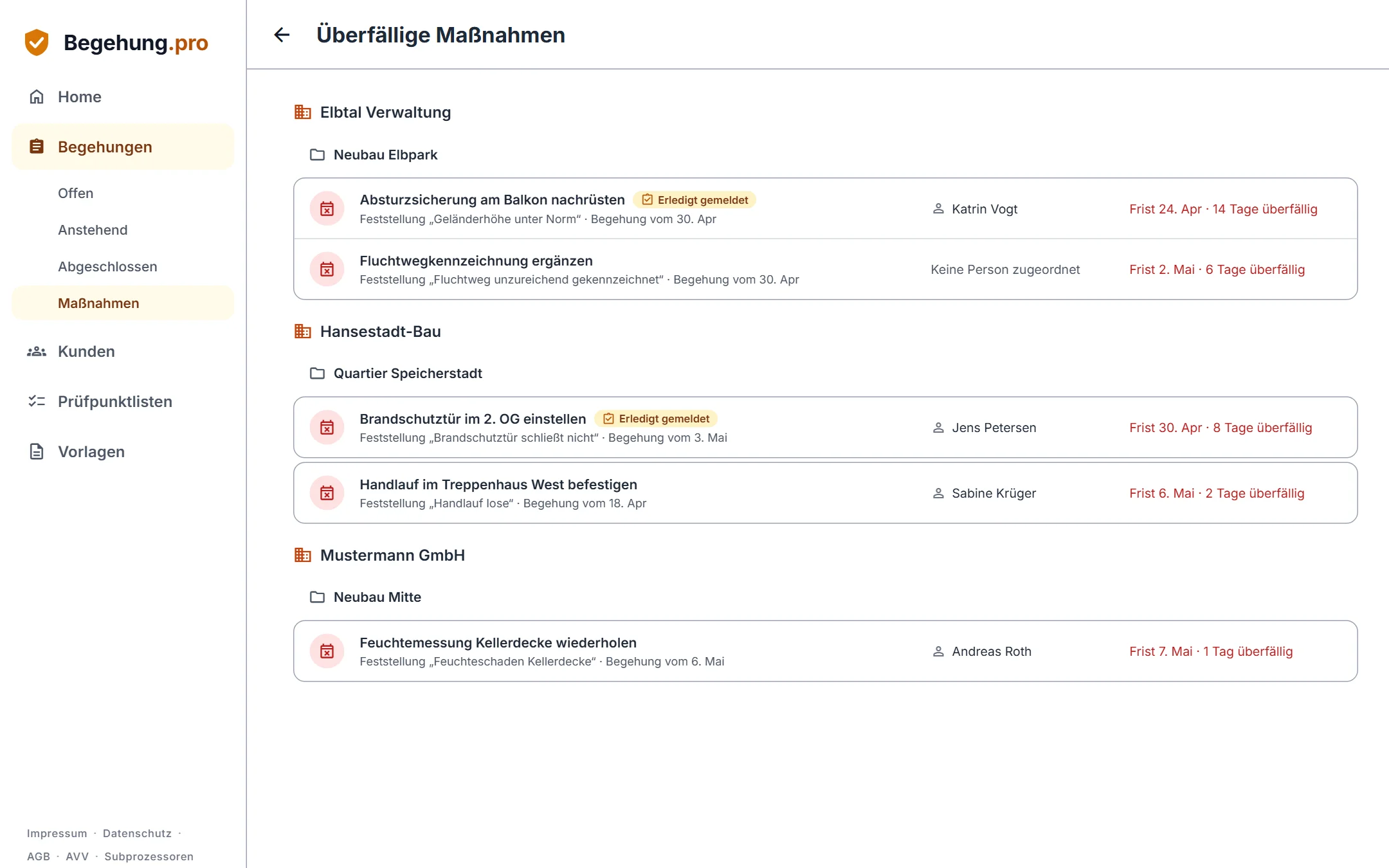
Overdue actions
Begehung.pro collects actions past their deadline on a list of their own, ordered by customer and project.
Email to the people responsible
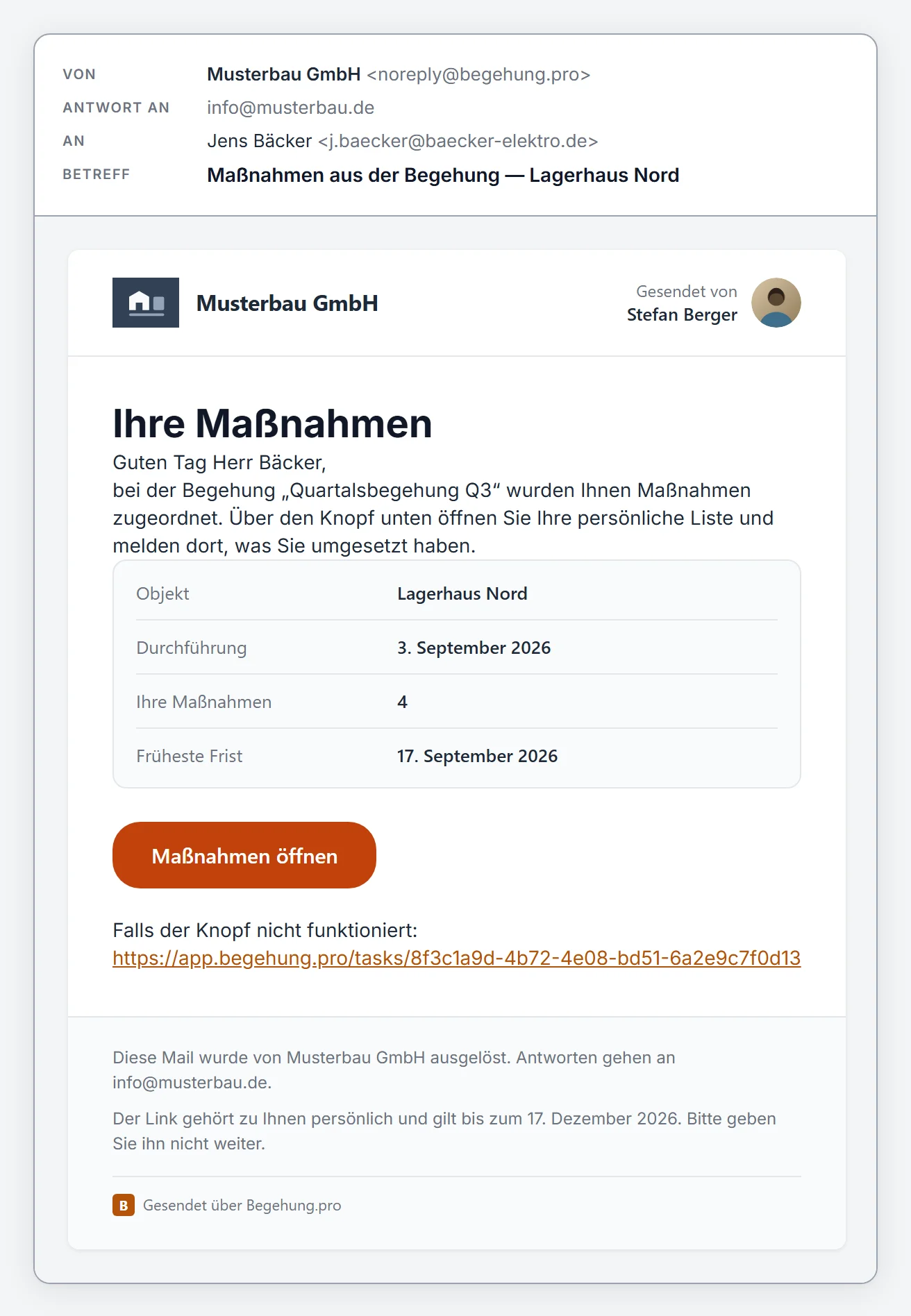
Whoever is responsible for an open action gets an email with a personal link when the inspection is sealed.
Report done
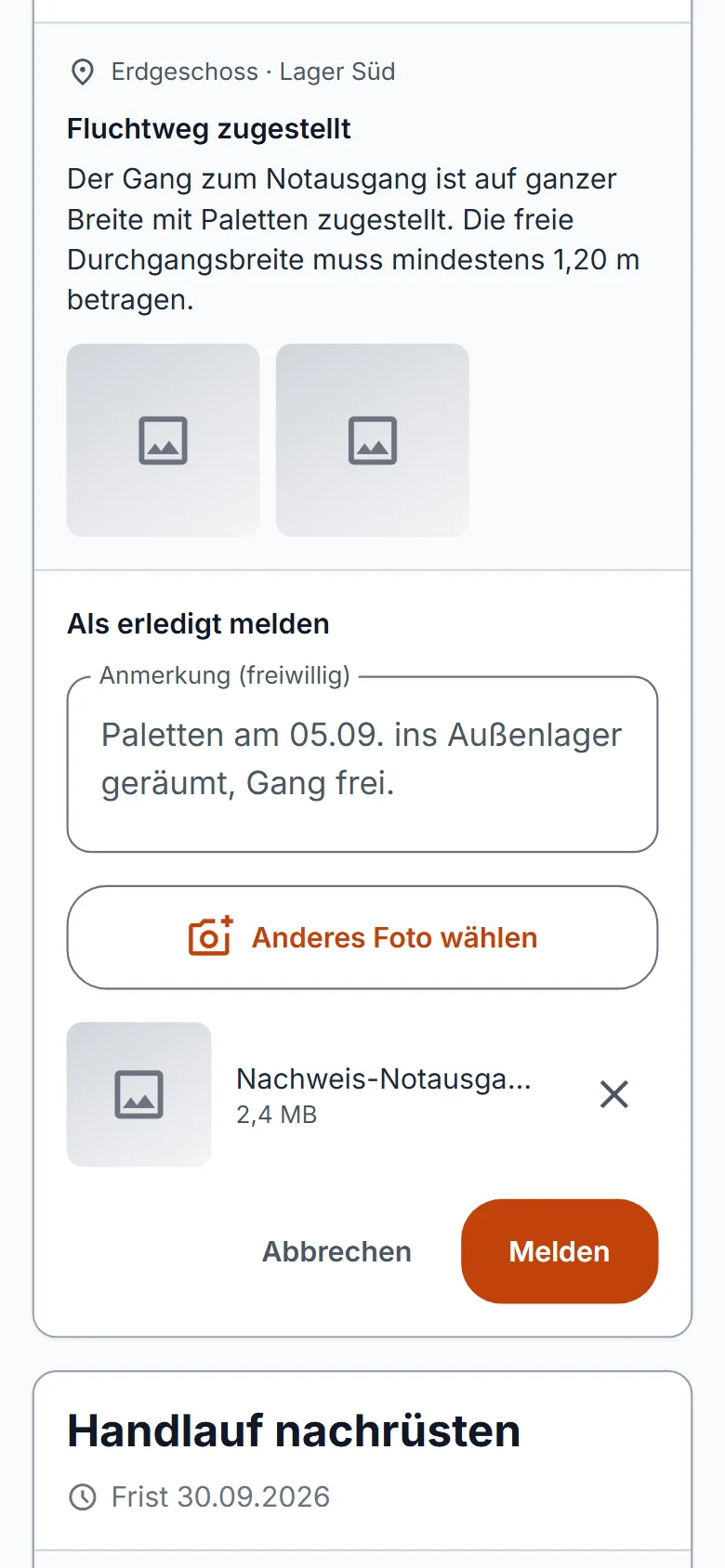
Through this link, the people responsible report an action as done, without an account of their own and optionally with a note and a photo. The report reaches you, and you confirm or reject it.
Carry open items into the next inspection
The next inspection of the series takes over areas and open findings from the previous one. It stays visible when a finding was first recorded.
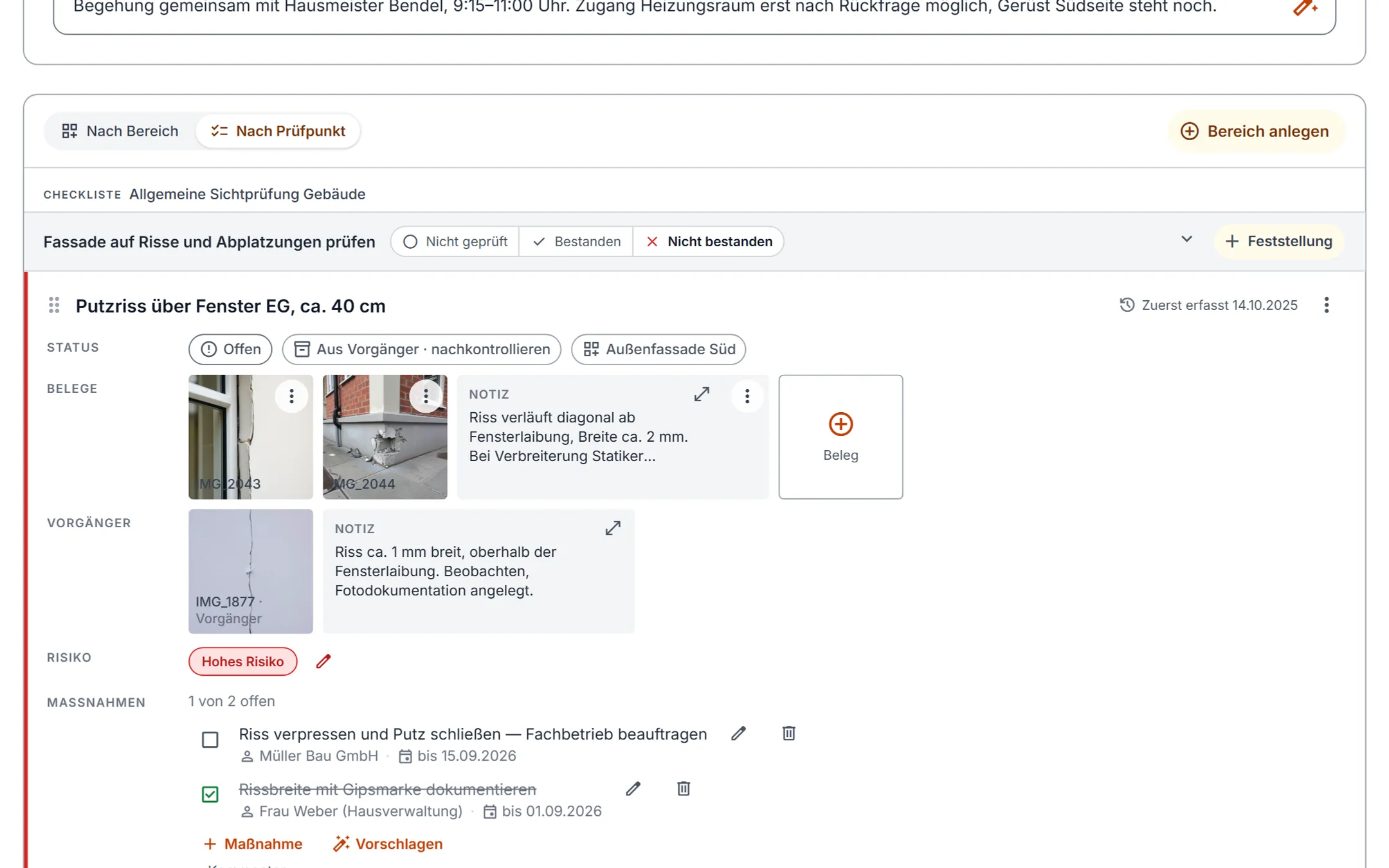
Effectiveness check
During the follow-up inspection you compare the previous and the current state of every carried-over finding.
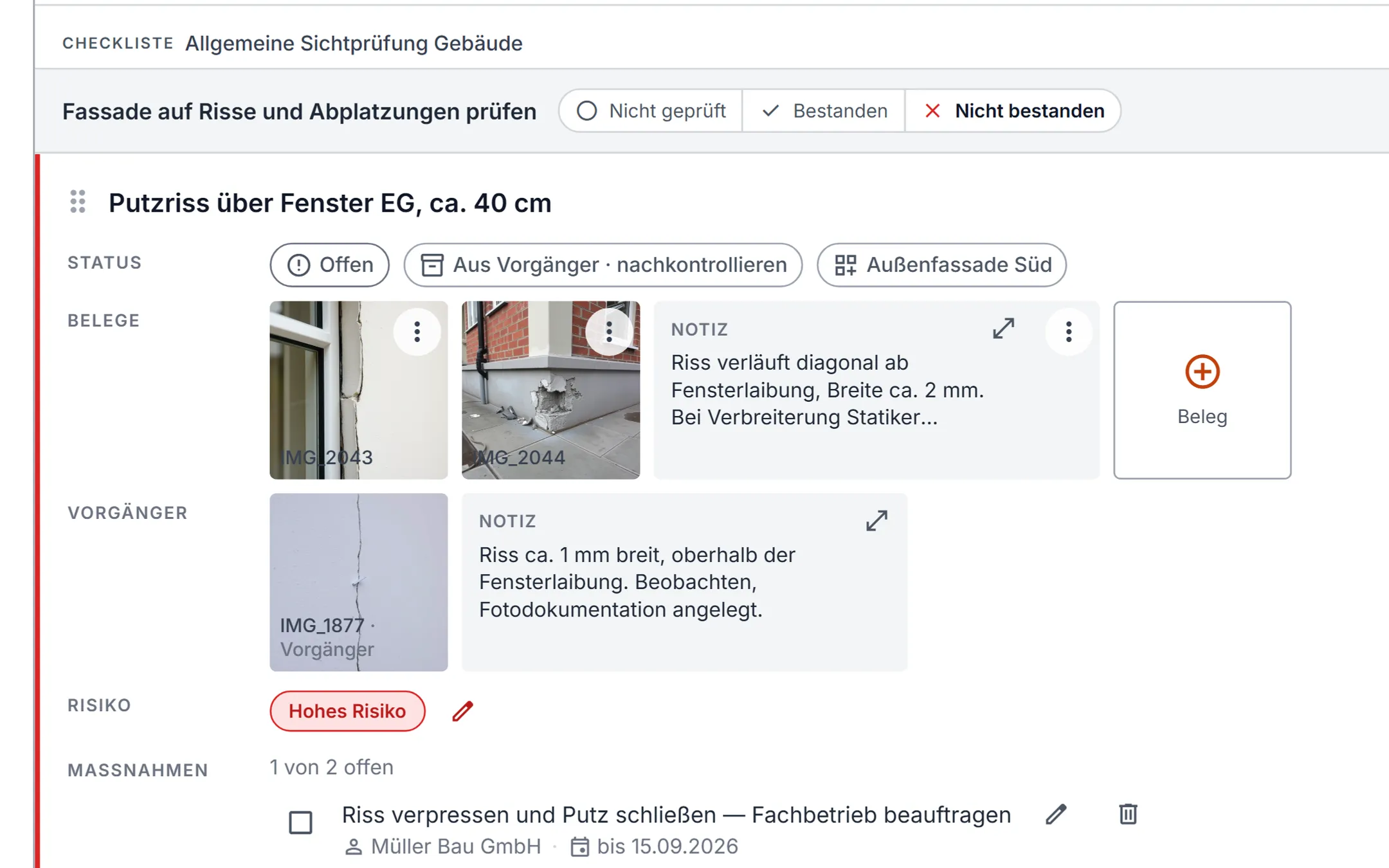
Track actions
You assign actions, set deadlines and see which ones are open and which are done.
Finding history
For every inspection series, the history shows how the findings developed from one sealed inspection to the next.
Administration and account
Manage customers, your company profile, notifications and your team here. You can download your company's entire data set at any time as a ZIP archive.
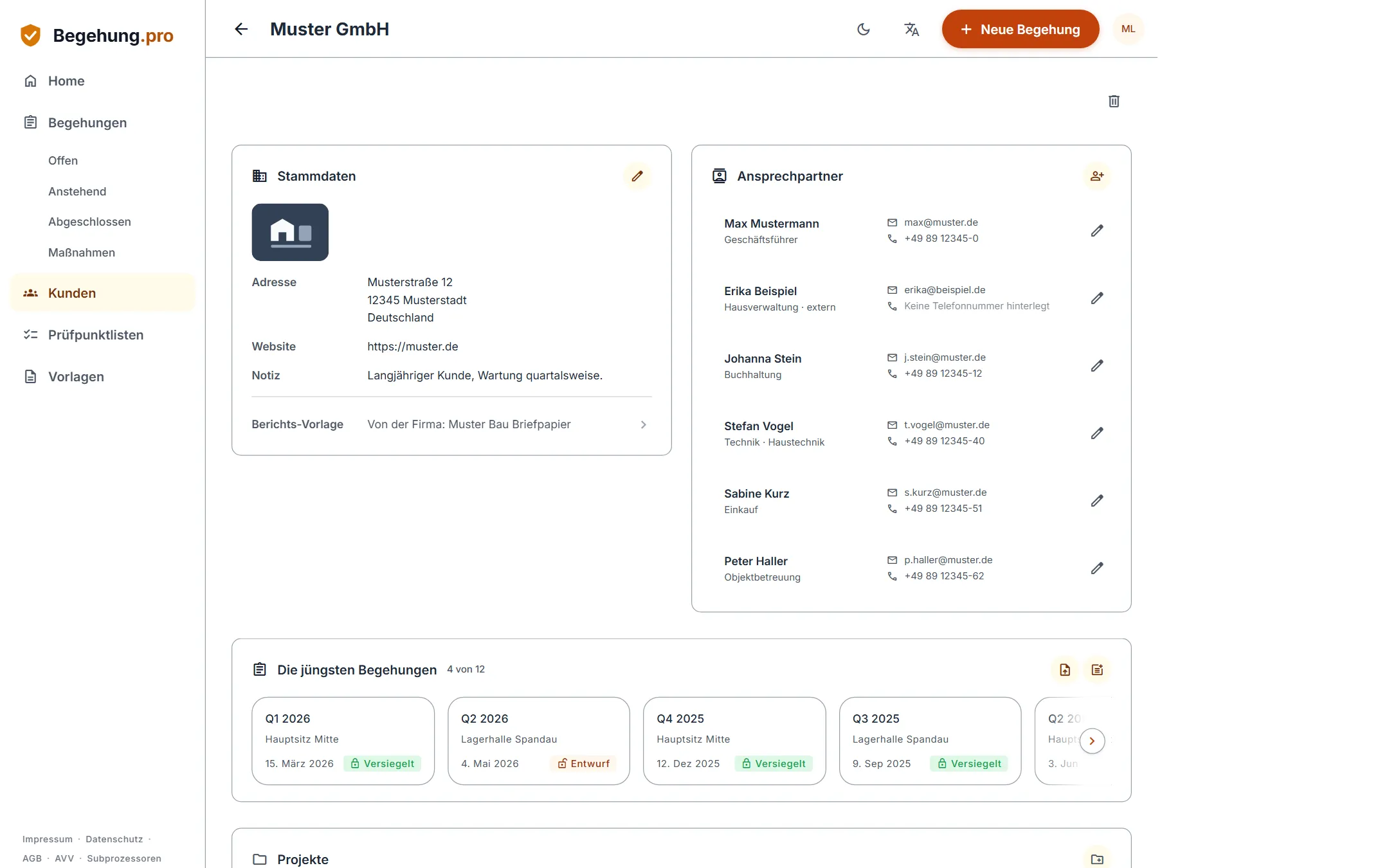
Customers and contacts
Manage your customers together with their contact persons. Each customer has its own history.
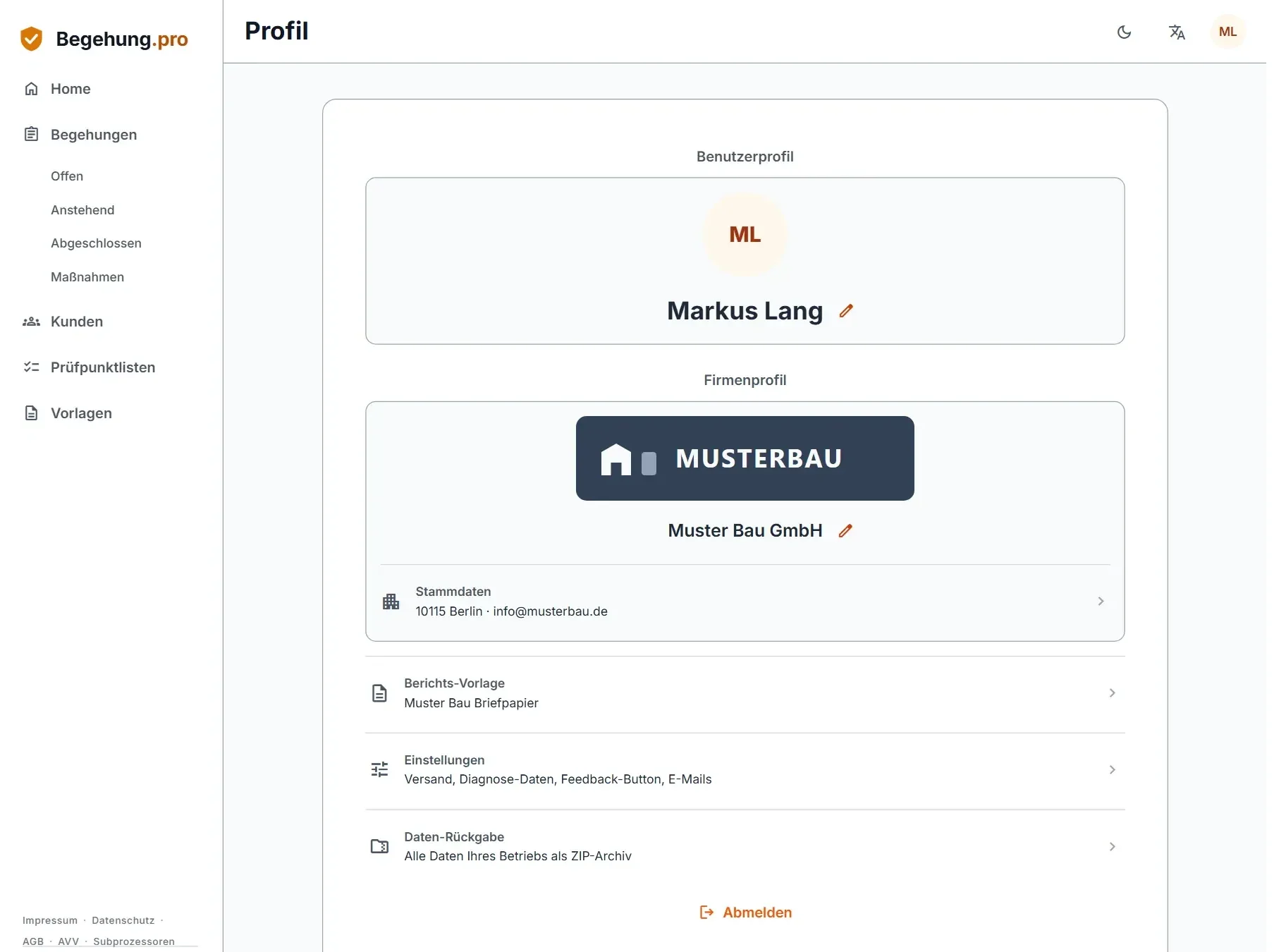
Company profile and branding
In the company profile you store your logo and your company details. Both appear in your reports.
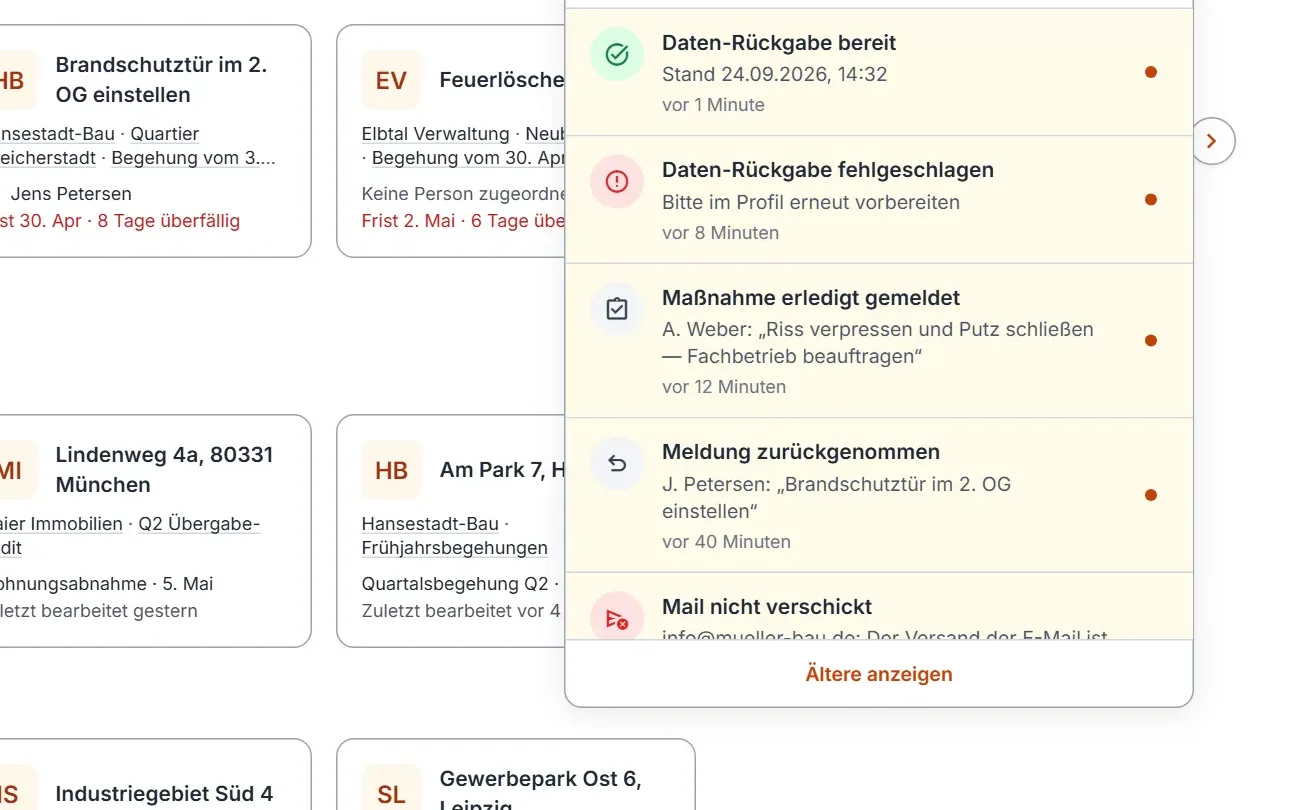
Notifications
Begehung.pro informs you about important events in the app, by push notification on your smartphone and by email. You decide which emails you receive.
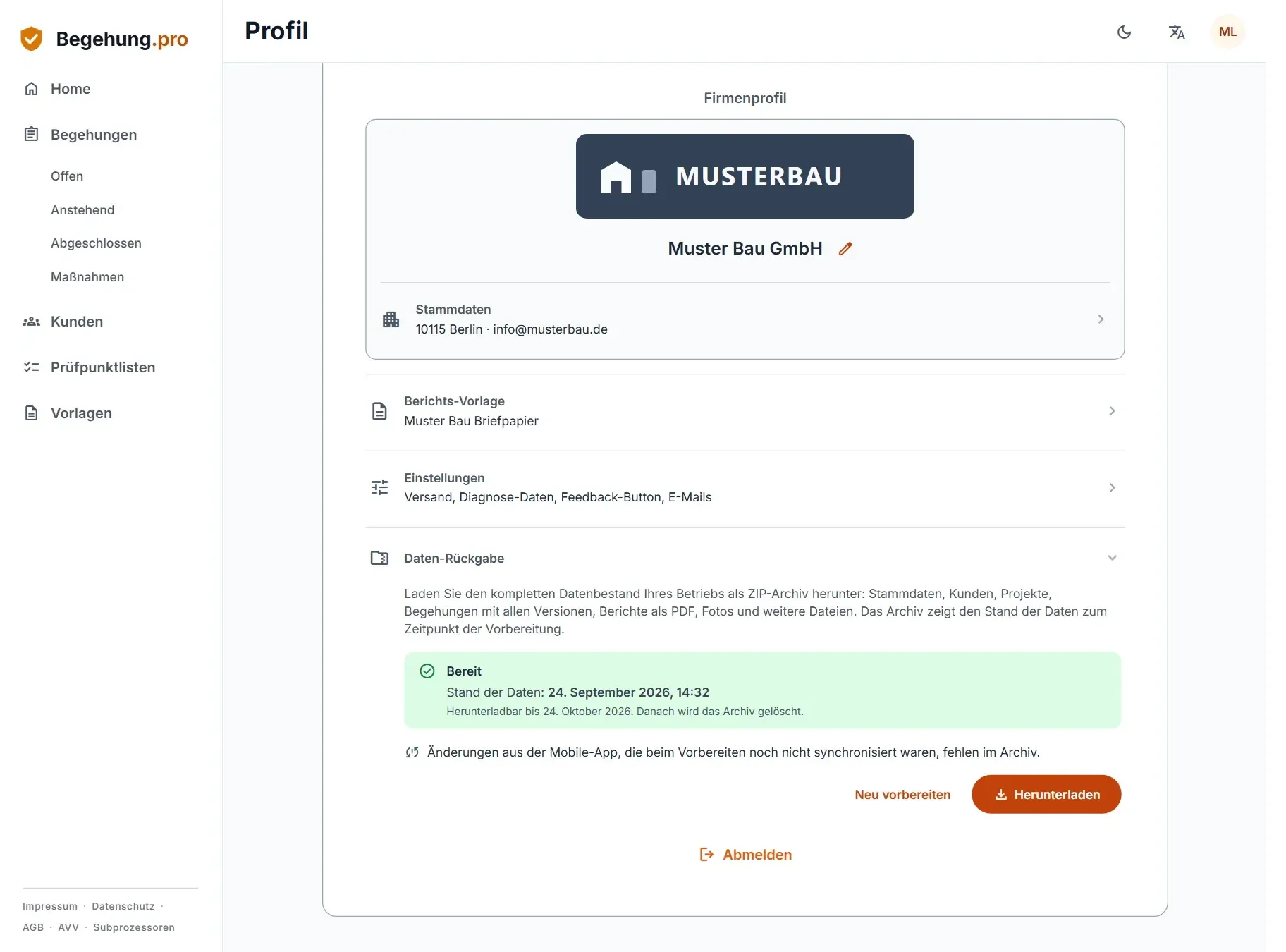
Data export as ZIP
You can download your company's entire data set at any time as a ZIP archive, with all reports and original files.
Appointments in your calendar
Add inspection dates from the mobile app straight to your device calendar.
German and English
Begehung.pro is available in German and English. In the web app you set the language yourself; the mobile app follows the language of your device.
Teams
Several users work together in one company. Owners and admins manage the team. All other members work with the customers they are responsible for.
Invite members
Owners and admins invite colleagues to the team by email. Each invitation needs a free seat in your subscription. Your colleagues can also accept the invitation in the mobile app.
Manage members
Owners and admins change a member's role or remove the member from the team. Everything the member has recorded stays with your company.
Responsibility for customers
Owners and admins decide who is responsible for which customer. Members without an admin role see only their own customers with the related projects, inspections and safety briefings. Checklists and briefing templates are available to the whole team.